Rooms (step 3 of 7)
The Rooms step is where you make the floors and rooms of the home, say who may use each room, and hide a room from the phones. Devices are added later, in Room Devices.
Nothing here reaches the house or a phone until the next Save & Deploy. The note under the home bar says the same: Admins always have every room. Ticks for other people and Guest take effect at the next Deploy.
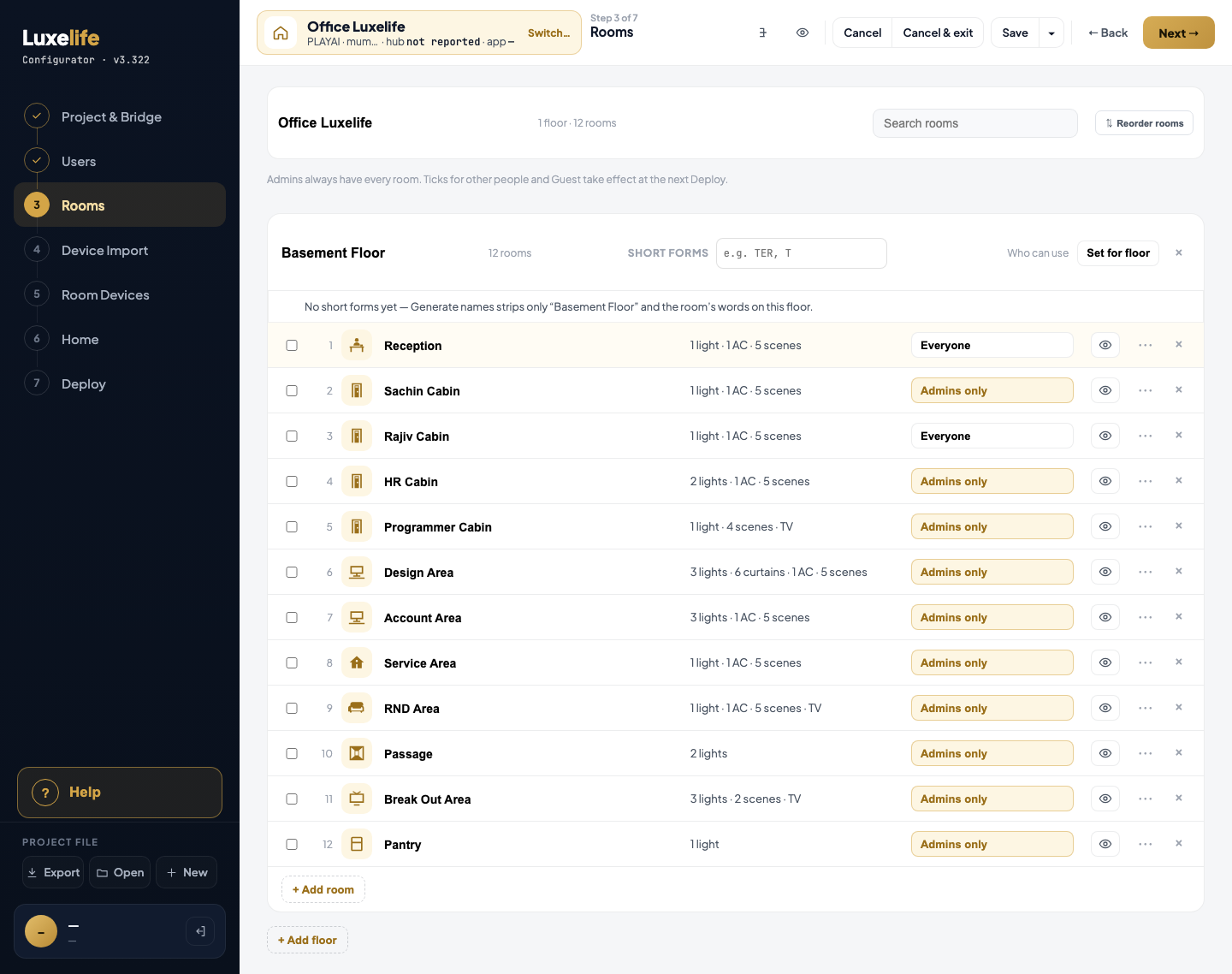
Capture: Office test project, 1440 wide, 25 Oct 2026. Positions are in page pixels from the top-left of the picture.
| # | What you see | Where (x, y) | Help entry |
|---|---|---|---|
| 1 | Home name Office Luxelife | 325, 135 | Home name |
| 2 | Search rooms | 1020, 127 | Search rooms |
| 3 | ⇅ Reorder rooms | 1280, 129 | Reorder rooms |
| 4 | Floor name Basement Floor | 329, 287 | Floor name |
| 5 | Short forms box | 846, 281 | Short forms |
| 6 | Set for floor | 1259, 281 | Set for floor |
| 7 | × at the end of the floor card | 1365, 283 | Delete this floor |
| 8 | Tick box of a room | 329, 397 | Select room |
| 9 | Room tile (picture) | 399, 385 | Room tile |
| 10 | Room name Reception | 449, 394 | Room name |
| 11 | Summary 1 light · 1 AC · 5 scenes | 807, 395 | Room summary |
| 12 | Who can use chip Everyone / Admins only | 1065, 388 | Who can use |
| 13 | Eye (show on phone) | 1275, 388 | Show on phone |
| 14 | ⋯ More | 1325, 389 | More |
| 15 | × at the end of a room row | 1365, 390 | Delete this room |
| 16 | + Add room | 329, 1023 | + Add room |
| 17 | + Add floor | 312, 1082 | + Add floor |
| 18 | Step list in the side bar | 16, 109 and below | Step list |
Rows 8 to 15 repeat on every room row. The shared top bar (Save, Cancel, Back, Next, Help, Export / Open / New) is described with the Shell controls, not here.
Not drawn in this capture
These Rooms controls appear only in some states:
- Processor chips on the floor and on each room, and Set processor ▾ in the selection bar: only when the project has more than one Crestron processor. Entries: Processor (floor), Processor (room), Set processor, and the menu lines Follow the home / floor and Processor in the list.
- The selection bar at the bottom, after ticking rooms: Set who can use, Clear.
- The Who can use menu: Everyone, a person, Guest.
- The ⋯ menu: Duplicate, Make a room, Make a sub-room of…. A sub-room shows an Inside: <room> tag under its name.
- Short form tokens once a short form is added: token, ×.
- The name banner A name has changed hands… with Show me.
- Reordering: the bar form of the button, Reorder (bar).
- Help panel article buttons: Help article.
- A Homeowner Guide section name belongs to the Homeowner Guide page, not this step: entry.
Add rooms box
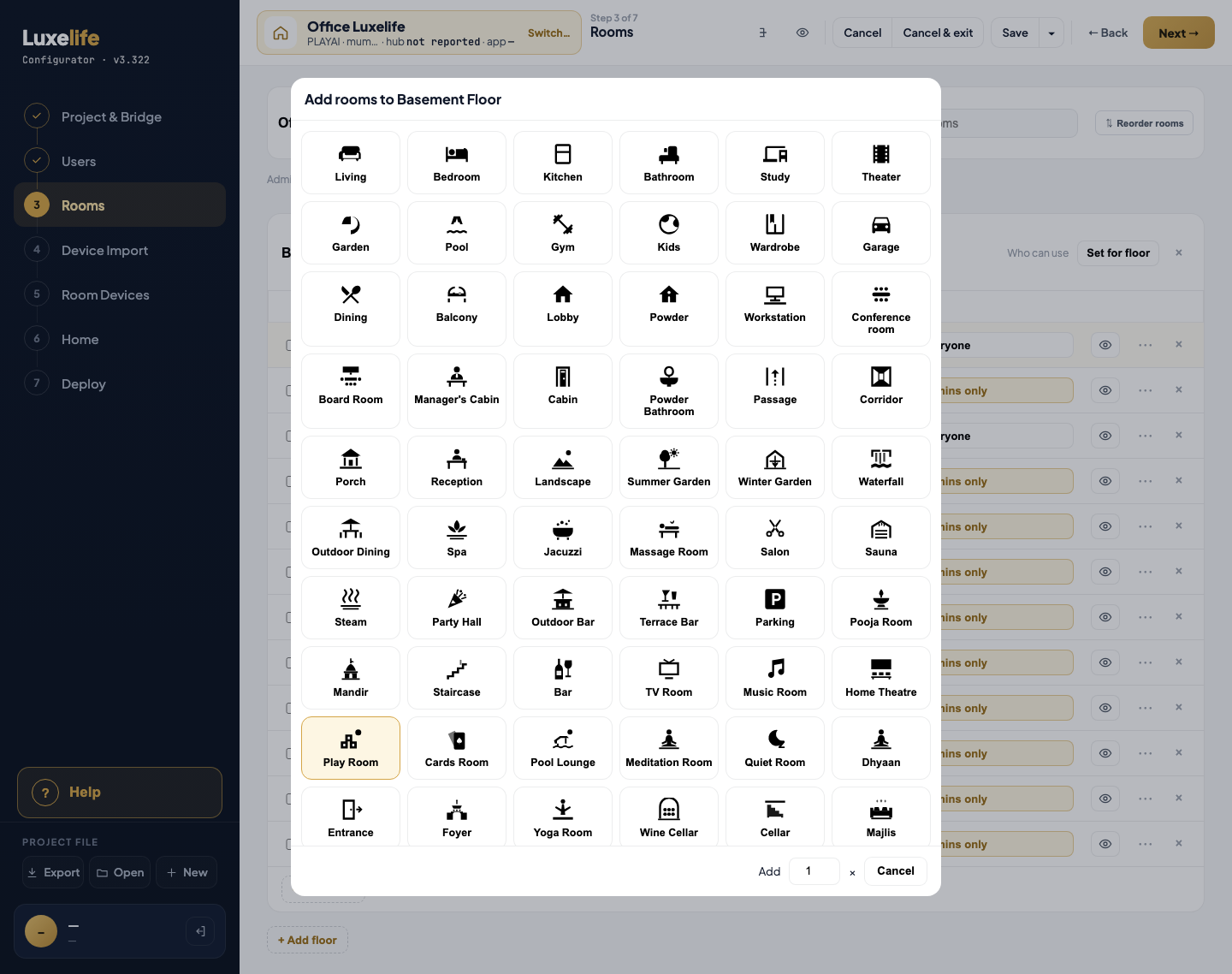
| # | What you see | Where (x, y) | Help entry |
|---|---|---|---|
| 1 | A room picture, e.g. Living | 352, 153 | Room picture |
| 2 | Add [1] × | 922, 1002 | Add N × |
| 3 | Cancel | 1010, 1002 (read from the picture) | Cancel |
The same box, titled Choose a room tile and without the number, opens from a room's picture.
Delete room box
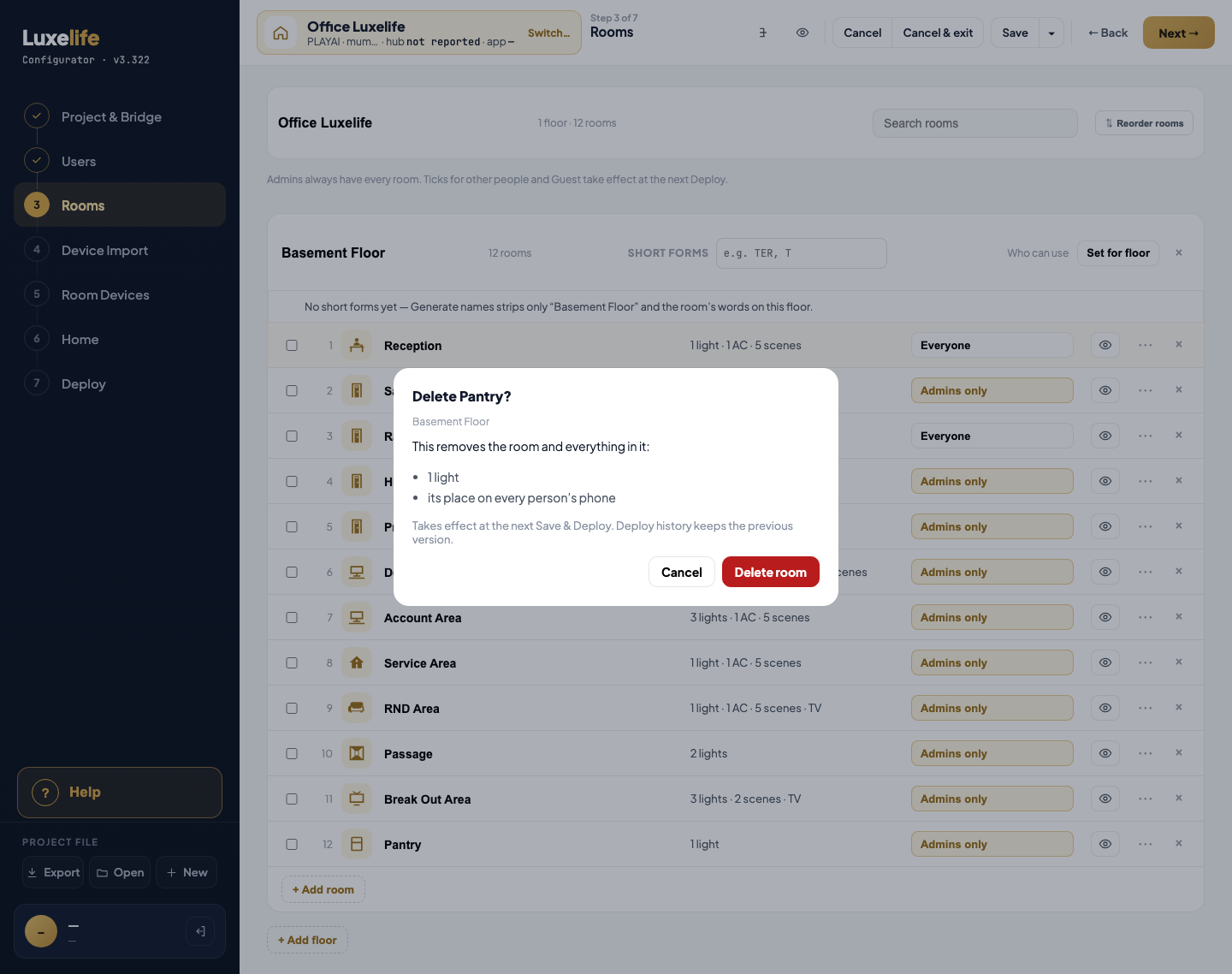
| # | What you see | Where (x, y) | Help entry |
|---|---|---|---|
| 1 | Cancel | 758, 650 | Cancel |
| 2 | Delete room | 844, 650 | Delete room |
When the room has sub-rooms, two buttons take the place of Delete room: Move them up to the floor and Delete them too.
The Delete floor box is the same shape: Cancel, Delete floor.